At a glance: There is no single data recovery price. Compare the device, service scope, extra charges and success terms before comparing headline figures. The examples below are individual providers’ published rates, checked on 2 October 2026.
If you are worried about losing your files, the first question is often “how much will this cost me?” The answer depends on what has failed and what you are paying for. A software licence, a diagnosis and laboratory recovery are different purchases. Below, we show real published price examples and the questions that help you avoid an unexpected bill.
This guide is for individuals and small businesses comparing their options. We publish US and UK examples separately, using the providers’ original currencies. We do not convert a US rate into pounds and present it as a UK quote.
Software, logical recovery or physical repair?
The route matters more than a headline price. A software licence is a tool you use yourself; a laboratory quote pays for assessment and recovery work. Logical recovery describes the problem, not a guarantee that a cheap scan will fix it.
| Recovery route | When it may fit | What you pay for |
|---|---|---|
| DIY recovery software | Deleted files or a damaged file system on stable, readable storage, after checking backups. | A free tool or paid licence, subject to edition and save limits; separate healthy storage for recovered files. A preview does not guarantee intact files. |
| Professional logical recovery | Readable storage with a complex file-system problem, unsuccessful DIY recovery or files too important to experiment with. | Assessment, imaging where appropriate and specialist reconstruction. Ask about minimum charges, partial results and return storage. |
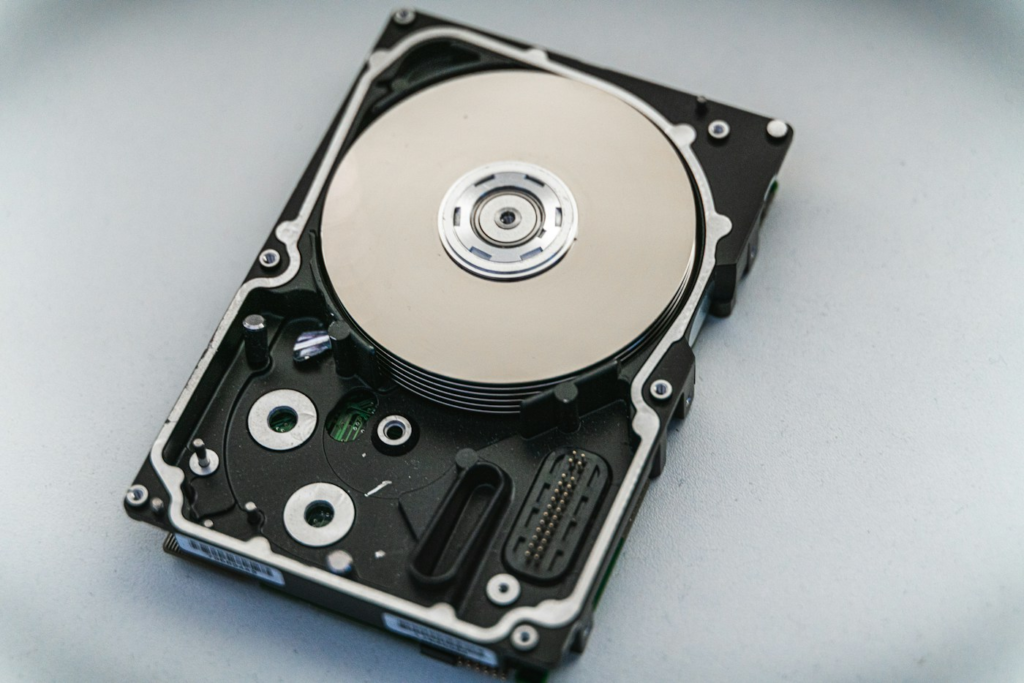
| Physical, electronic or firmware recovery | Unusual noises, damage, unstable access or a device not correctly detected. Software is not a repair for these faults. | Specialist assessment and recovery work; donor parts or clean-air work where needed. These are not required for every fault. Ask which extras apply. |
Compare the published US and UK examples below, then request a written quote for your particular fault. Do not treat a software price as an alternative to a laboratory assessment when the device is failing.
How your device changes the cost question
Start with the fault, then the storage type. Two drives of the same capacity can need completely different work. These are questions to put to the provider, not a price formula.
| Storage | What to clarify | Read next |
|---|---|---|
| Internal or external HDD | Is this logical loss, a connection issue or physical failure? Are parts and return media extra? | Hard-drive recovery |
| SATA or NVMe SSD | Can the provider assess the exact model? How do TRIM, encryption and the fault affect available options? | SSD and NVMe recovery |
| USB drive or memory card | Is the media accessible or physically damaged? Can the required photos, videos or documents be verified? | USB/card recovery |
| RAID or NAS | Which members, volumes and priority data are included? Is validation of the business application part of the scope? | RAID/NAS recovery |
Three situations that call for different budgets
You deleted photos from a readable card
First check imported copies and backups. If a suitable software route remains, compare a free tool with a paid licence, including the separate storage needed for output. A laboratory quote is a different purchase. Small capacity does not guarantee that damaged media is easy to recover.
Your laptop died, but the files may still be intact
Ask whether data-preserving computer repair or access to intact storage is possible before assuming full laboratory recovery is needed. Separate the diagnosis, file retrieval, replacement hardware and operating-system setup on the quote.
Your shared business storage became inaccessible
Define the system and priority data, then compare the full proposed recovery scope. Ask whether the deadline means assessment, recovery work or delivery. Include secure transfer, required output storage and validation by your IT team in the plan.
These are illustrative buying situations, not quotations or promises of recovery. If your computer has just failed, protect the files first.
Published recovery prices: US and UK examples
These examples show how pricing models differ. They are not a market average, a guaranteed quote or a recommendation of either company.
| Provider / market | Published example | Important qualification |
|---|---|---|
| US published example [1] | HDDs up to 1TB: $300; over 1TB to 6TB: $500; above 6TB: $700. | Base recovery fee. Donor parts, return media, shipping and optional services may add cost. |
| UK published example [2] | Single drives, SSDs and external drives from £300 + VAT. | A starting price; confirm the written assessment and total charge. |
| UK published example [2] | Cards and USB media from £250 + VAT; RAID/NAS/server work from £500 + VAT. | Starting prices, not caps. |
Published provider examples, not market averages. View sources and conditions.
Understand the pricing model before comparing quotes
Some providers publish fixed bands. Others assess a device before quoting. Gillware identifies the device, fault, damage and required speed as factors in an estimate. Its estimate guidance explains why a conversation is needed.
Put each offer into one of three categories:
- Starting price: the lowest advertised charge for an eligible job.
- Estimate: an initial indication that may depend on the assessment.
- Written quote: the proposed work, price and conditions you are being asked to accept.
Ask what would trigger a change to the quote and whether approval is needed first. A low number without a clear scope is difficult to compare with a higher number that includes delivery, tax and return media.
Compare the total payable, including any unsuccessful or declined-job charges.
- 01
Identify
Record the device and what happened.
- 02
Choose
Software or specialist assessment?
- 03
Check
Confirm scope, costs and conditions.
- 04
Verify
Check the files you need open correctly.
- 05
Protect
Back up recovered files.
Suspected physical damage or a failing device needs specialist assessment. Keep the device powered off rather than trying repeated scans.
Compare the complete cost
Use the same headings for every provider. A simple spreadsheet or written checklist is enough; the aim is to make omissions visible.
| Charge | Question to ask |
|---|---|
| Assessment | Is diagnosis free, refundable or separately charged? |
| Recovery work | What work does the quoted fee cover? |
| Parts | Are replacement or donor parts extra, and who approves them? |
| Return of files | Is a transfer drive or secure download included? |
| Shipping | What are the collection, return and declined-job charges? |
| Tax | Is VAT or applicable sales tax included? |
| Priority work | Which premium applies, and what timetable is promised? |
Do not compare the total payable at one provider with the base labour fee at another. Record the amount due if you accept the job, decline it, or receive only a partial recovery.
What does “no data, no fee” actually cover?
Treat the phrase as the start of a conversation. Ask for the written definition of success and the exclusions. Would recovering a few unrelated files count, or must the photographs, accounts or project files you need be usable?
Before sending a device, make a short priority list: folder names, file types, approximate dates and the business or personal importance of each group. Avoid sending passwords or sensitive files in an initial general enquiry.
Ask how you can inspect the proposed result. A file listing, preview or agreed verification process is more useful than a broad percentage without an explanation of what it measures. Also establish when payment becomes due and what happens if you do not accept the result.
When is a software licence the relevant cost?
If you are comparing recovery tools, the price question changes. Check whether the free version actually saves files or only scans, whether a paid plan renews, how many computers it covers and whether your operating system is supported.
A licence is payment for a tool, not a promise that your files will be restored. We recommend reading our software-versus-service guide before treating the software price as your full recovery budget. For suspected physical damage, get a professional assessment rather than shopping only by licence price.
Is recovery worth paying for?
Start by naming the files you cannot replace. Check whether a usable copy exists elsewhere, then weigh the full quote against what getting those files back means to you. Family photographs may have no replacement; business records may take days to rebuild.
Set a spending limit before approving work. Ask the provider to contact you before exceeding it or ordering additional parts. For business systems, agree who can authorise the recovery and who is responsible for receiving and checking the returned files.
Keep recovery and replacement costs separate. Buying a new device may restore normal working, but it is a different decision from retrieving the files on the old one.
Frequently asked questions
Is recovery priced per gigabyte?
Not universally. Providers use different models. Ask how your quote is calculated rather than assuming a charge per GB.
Are UK and US costs directly comparable?
Only after checking scope, taxes, shipping and terms. The examples on this page are local provider rates, not currency equivalents.
Can a quote guarantee recovery?
A price does not establish recoverability. Ask what has been assessed and which outcome the provider is committing to.
Should I pay more for a faster service?
Compare the premium with your actual deadline. Ask whether the timetable refers to assessment, the start of work or delivery of verified files.
Sources and methodology
- $300 Data Recovery — published US prices. Base fees and exclusions apply.
- Cambridge Data Recovery — published UK prices. Starting prices exclude VAT.
We checked the linked providers’ public pricing and estimate pages on 2 October 2026. Published rates can change, and only the provider can confirm whether a particular device qualifies. We have not obtained individual quotes or tested these laboratories. Provider examples are included to explain different pricing structures, not to rank their services.
For an error or a changed price, email contact@datarecoverycostguide.com with the relevant page and source.
Read our editorial policy and affiliate disclosure for how we evaluate guidance, distinguish research from hands-on testing and explain commercial relationships.